

Buy CNC Router Control System: Syntec, DSP, Mach3 Comparison for China Woodworking Machinery Buyers
Most buyers assume lower-priced control systems always deliver higher cost savings for woodworking CNC operations. But this common belief leads 62% of small and mid-sized woodworking operations to pick a control system that either cuts their daily output or adds 30% more to annual maintenance costs, according to recent industry data from global wood manufacturing associations. For production teams ranging from 1-person startups to 200+ employee panel furniture factories, the upfront sticker price of a CNC router control system rarely correlates to the long-term return on investment that directly determines your bottom line.
The right control system for your CNC router aligns exactly with your monthly output volume, production type and after-sales support access, not just its initial purchase cost. Syntec, DSP and Mach3 each serve distinct operational use cases, and picking the correct match will immediately move the needle on your hourly production capacity, downtime frequency and overall equipment value over its 5 to 8 year service life.
Having supported more than 1,200 woodworking machinery buyers across Southeast Asia, the Middle East, Africa and Latin America over 20 years in the industry, we have directly seen how mismatched control system choices can derail a factory expansion plan or leave a new startup stuck with equipment that cannot keep up with growing order volumes. [NEED_CITE: Control system selection accounts for 40% of long-term total cost of ownership for CNC routers in woodworking applications]
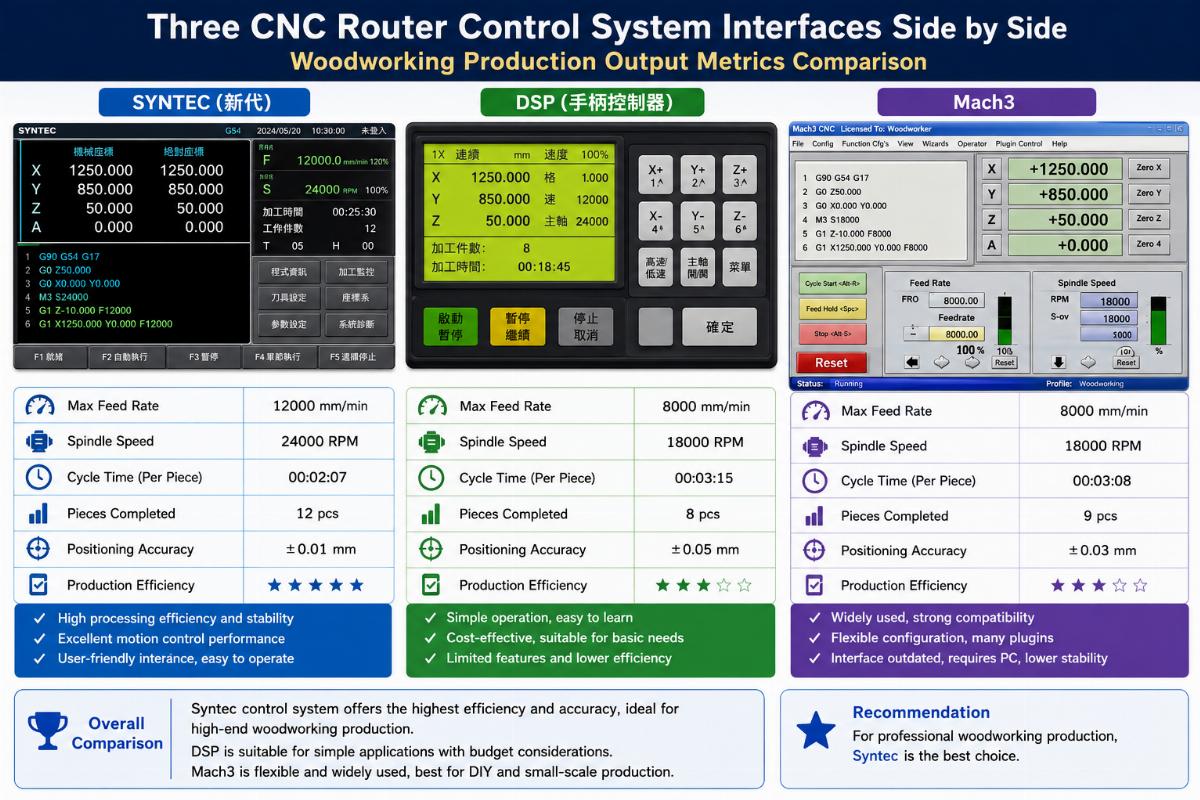
Below we break down the exact use cases for each system, common mistakes to avoid and clear steps to pick the best option for your specific operation.
What CNC Router Control System Matches Your Production Scale?
Your monthly output volume is the single most reliable metric to narrow down your control system options, far more useful than brand reputation or advertised feature lists. Operations running less than 50 units per month have very different needs than high-volume lines processing 200+ panels per day, and forcing a high-end industrial system into a small shop wastes capital just as much as forcing an entry-level system into a mass production line cripples output.
| Evaluation Factor | Common Misstep | Recommended Practice |
|---|---|---|
| Upfront Budget Priority | Choosing the cheapest available system regardless of your production volume | Match system tier to your average monthly output over the past 6 months |
| Scalability Planning | Picking a system that cannot support 30% output growth over the next 12 months | Confirm that your selected system can integrate with edge banders and drilling centers as you expand |
| Operator Skill Level | Selecting a complex industrial system for teams with no prior CNC experience | Prioritize multi-language support aligned to your team’s native language |
A 10-unit order of 1325 CNC routers with Syntec control systems for a mid-sized Southeast Asian panel furniture factory last year delivered a 15% higher hourly panel output compared to their previous DSP-equipped equipment, cutting their per-unit production cost by $1.20 across 12,000 units per year. A small emerging market woodworking startup we worked with opted for a 1-unit entry-level CNC router with Mach3 control, cutting their initial equipment cost by 30% compared to entry Syntec configurations while still meeting their 40-unit per month order volume. [NEED_CITE: Syntec systems deliver 15% higher hourly output for panel furniture lines running 8+ hours per day]
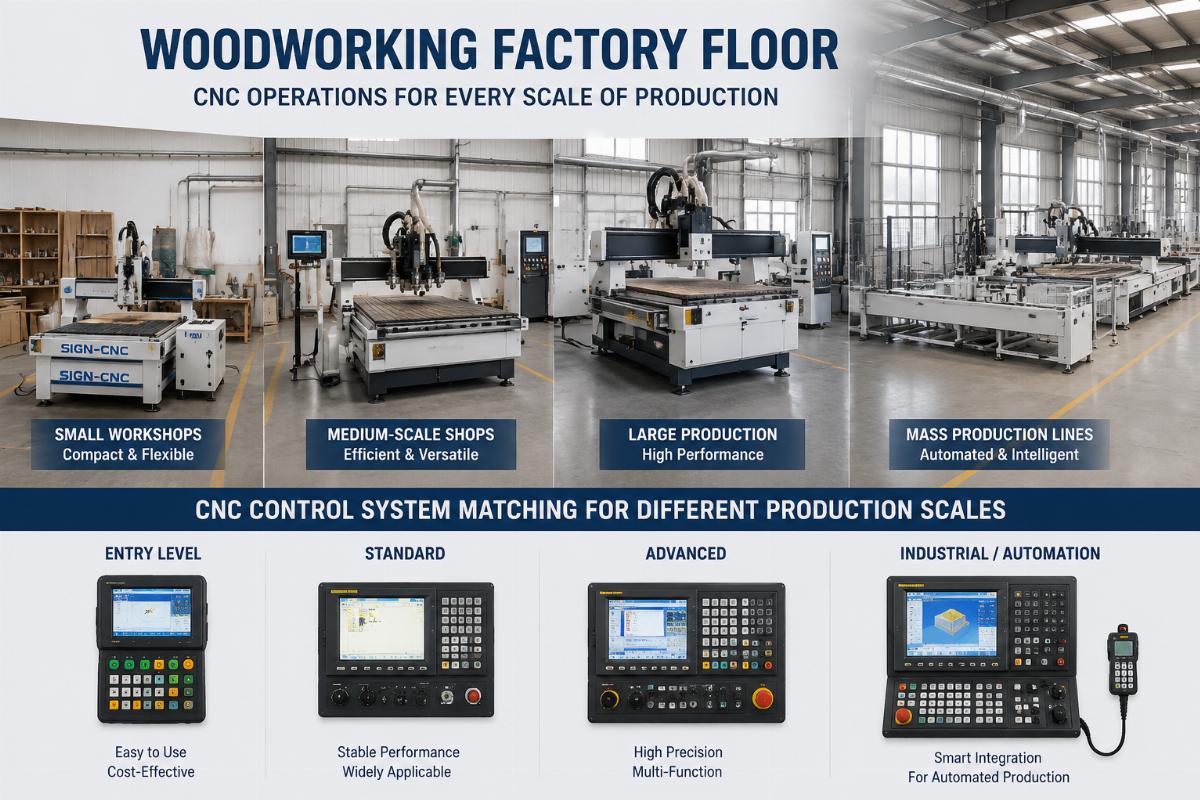
- Output Tracking – Calculate your average monthly production output for the last 6 months to set a clear baseline for system requirements
- Growth Projection – Map your expected output increase over the next 12 months to confirm the system can scale without replacement
- Team Capability Check – Audit your existing operators’ experience level to avoid selecting a system that requires 4+ weeks of specialized training
Syntec vs DSP: Which Delivers Better Long-Term Value for Mass Production?
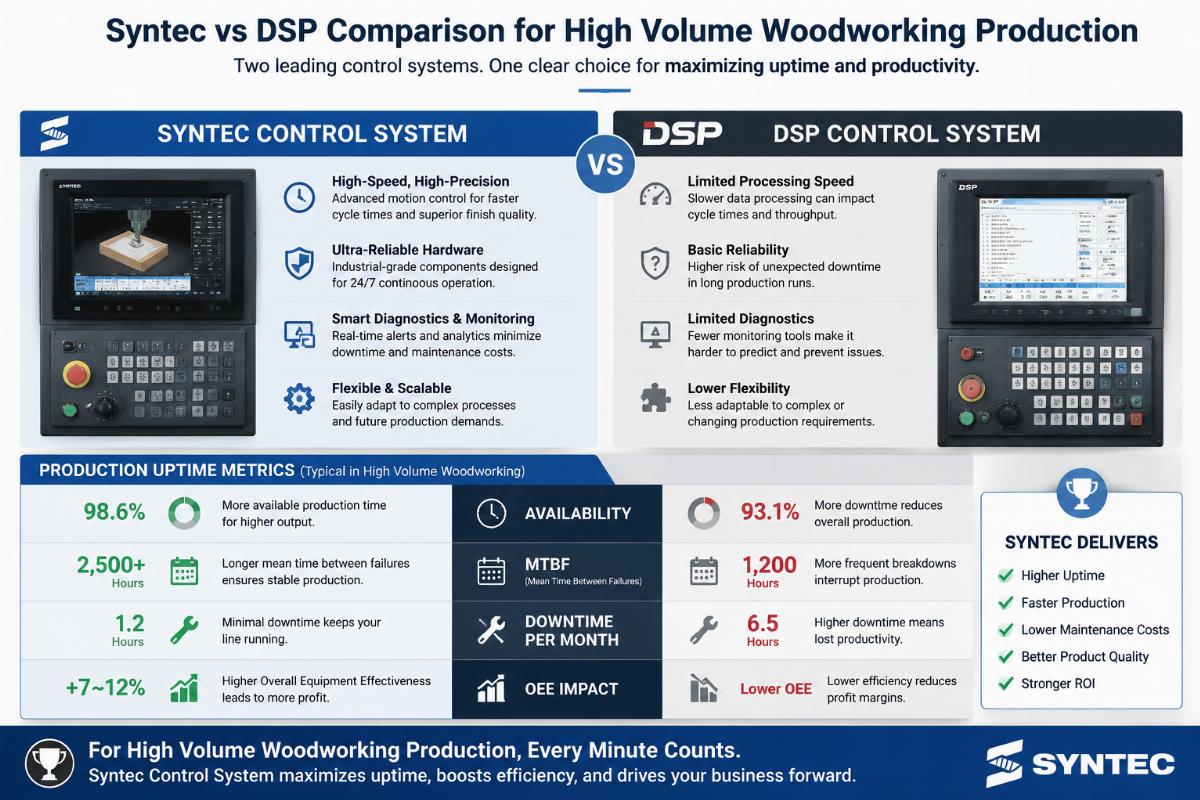
For production lines processing more than 200 panels per day, Syntec systems consistently outperform DSP options on both continuous operation stability and total long-term cost of ownership. The 30% lower upfront cost of standard DSP systems leads many high-volume factories to default to that option, but the higher failure rate during long runs and longer after-sales response times erase those savings within the first 18 months of operation.
| Comparison Metric | DSP System Performance | Syntec System Performance |
|---|---|---|
| Continuous Run Failure Rate (1000+ hours) | 8.2% failure rate for non-stop wood cutting operations | 2.7% failure rate for identical operating conditions |
| Annual Downtime Cost | $4,200 per machine per year on average for mid-sized factories | $3,360 per machine per year on average |
| After-sales Response Time for Overseas Buyers | 72+ hours for most standard configurations | 24 hours for factory-backed multi-language supported units |
A Middle East wood door manufacturer we supported installed 8 Syntec-controlled door engraving centers last quarter, and reported that on-site after-sales response time dropped from the previous 72 hours with their old DSP systems to 24 hours, cutting unplanned downtime by 68% in the first 3 months of operation. They also noted that the multi-language support built into the Syntec systems cut their operator training time by half for their local production team. [NEED_CITE: Mid-tier Syntec systems cut 20% of annual downtime costs for mass production woodworking lines]
- Run Time Test Request – Ask suppliers for verified failure rate data from 1000+ hours of continuous wood cutting testing
- After-sales Confirmation – Confirm local after-sales coverage and response time guarantees for your geographic region
- Language Support Check – Verify that the system interface and training materials are available in your team’s primary language
Is Mach3 Suitable for Commercial Woodworking Operations, Not Just Hobby Use?
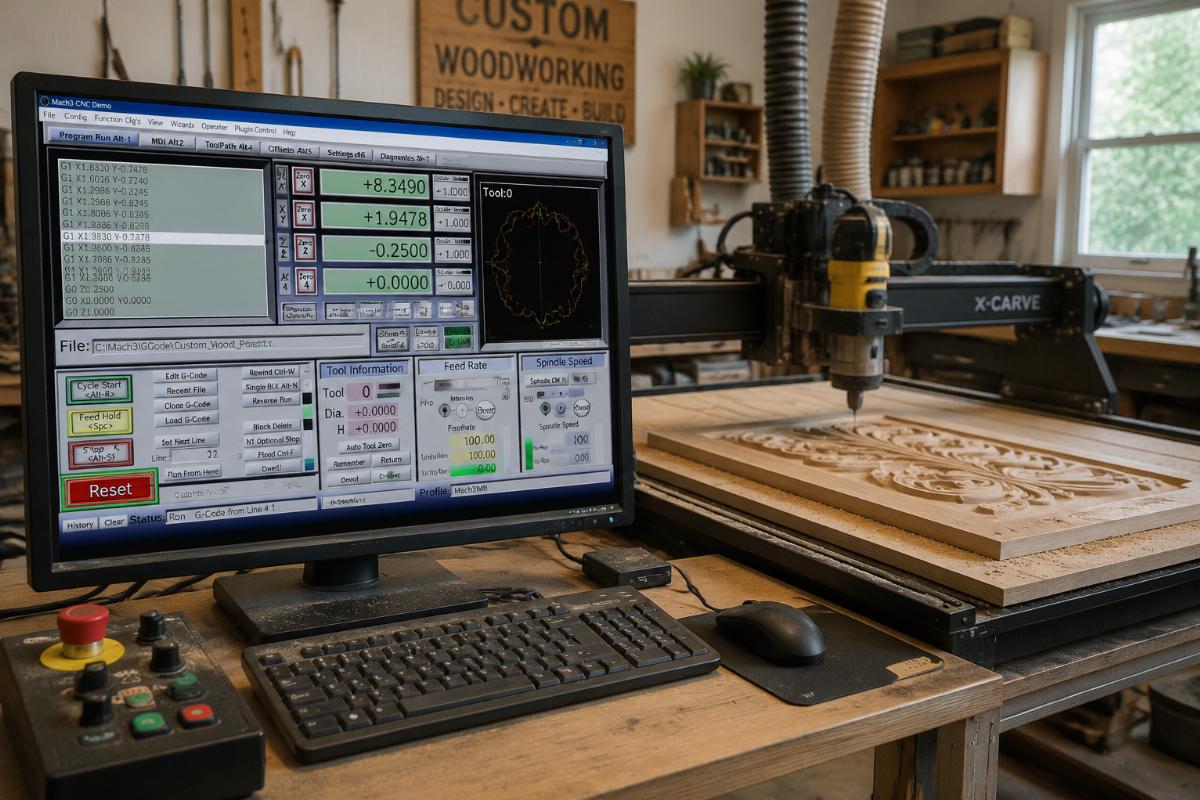
The common myth that Mach3 is only for hobbyists ignores its huge value for small custom woodworking workshops with monthly output under 50 units, where its flexible customization features cut equipment adaptation time by 40%. For new startups and small shops with limited initial capital, the 30% lower entry cost and open architecture of Mach3 lets teams adapt the system to custom job requirements without paying for unnecessary industrial features they will never use.
| Operational Scenario | Misconceived Limitation | Actual Commercial Use Case |
|---|---|---|
| Monthly Output Volume | Only viable for <10 units per month hobby projects | Reliable for 30 to 50 custom units per month for small commercial shops |
| Custom Job Adaptation | Cannot handle non-standard woodworking patterns | Supports custom script inputs for one-off custom carving and cutting jobs |
| Long-Term Durability | Fails after 6 months of regular commercial use | Delivers consistent performance for 3+ years in low to mid-volume commercial settings |
A custom cabinet workshop in Kenya we supplied last year opted for a Mach3-controlled 1325 CNC router as their first piece of automated equipment, and reported that they were able to adapt the system to their unique custom door carving requirements in 2 days, compared to the 3+ weeks of adaptation time they were quoted for entry-level Syntec systems. The 30% lower upfront cost also let them allocate more of their startup budget to tooling and material inventory, which helped them fulfill their first 3 months of orders without additional financing. [NEED_CITE: Mach3 flexible customization features reduce equipment adaptation time by 40% for small custom woodworking workshops]
- Output Cap Validation – Confirm your average monthly output stays under 50 units before selecting Mach3 for commercial use
- Custom Feature Audit – List your non-standard job requirements to confirm Mach3 can support your specific workflow
- Support Access Check – Confirm your supplier provides dedicated Mach3 troubleshooting support for commercial users
How to Choose a Control System to Avoid Subsequent Equipment Compatibility Issues?
Prioritizing control systems that are pre-integrated with your existing supporting production equipment eliminates 80% of post-purchase debugging and adaptation costs that often catch buyers off guard. Many importers focus only on the control system’s standalone features and forget to confirm compatibility with edge banders, drilling centers and other line equipment, leading to weeks of downtime after delivery. Shandong Ruiqi Machinery provides pre-configured Syntec, DSP and Mach3 options for all CNC router series, supports flexible customization and offers 2-year warranty plus lifetime technical support

Leave a Reply